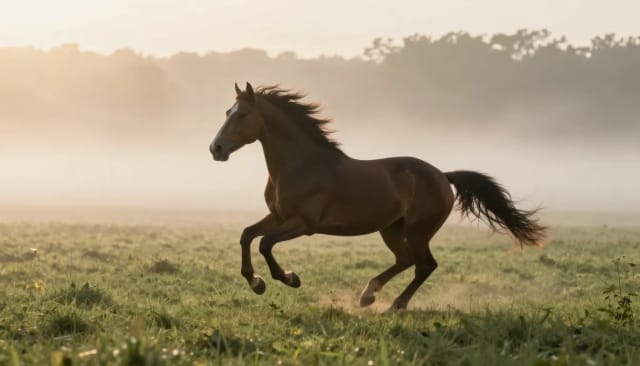
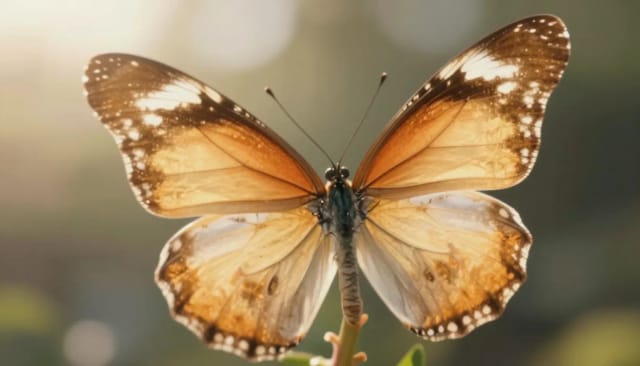
Image to Video AI

Animate any still photo into a short video clip with AI. Upload an image, choose a camera motion, and download the clip in seconds.

Video model
Video model

Premium

High quality

Balanced

Budget

Cheapest way to preview the motion

0/500
Reference image

Generate your video

Pick a model, describe the shot, and hit Generate.

Video model
Video model

Premium

High quality

Balanced

Budget

Cheapest way to preview the motion

Prompt library

Each card carries the exact prompt. Copy it, or open it here with the text already in place — you just add the photo.

In the stadium crowd

Your photo

Drops the person from your photo into a packed stand, cheering with everyone else.

The person in the photo is in the middle of a packed stadium crowd at night, wearing team colours, jumping and cheering with both arms raised as the people around them celebrate. Floodlights and camera flashes flicker across the stand, confetti drifts through the air, handheld camera with a slight shake.

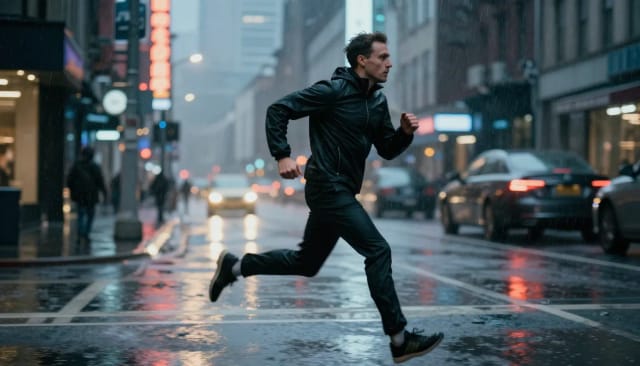
Make them dance

Your photo

The classic: your still photo starts dancing, on beat and in full body.

The person in the photo starts dancing with confident, rhythmic full-body moves, shoulders and hips on the beat, feet stepping in place. Club lighting sweeps across the scene in colour, the background stays where it is, the camera holds steady at a medium shot.

Runway walk

Your photo

Turns a standing portrait into a catwalk entrance.

The person in the photo walks straight towards the camera down a fashion runway with a slow, deliberate stride, chin level and arms swinging naturally. Photographers flash from both sides, the runway lights glow underfoot, the camera tracks slowly backwards to keep them centred.

The reunion

Your photo

Two people in one photo turn towards each other and embrace. Works with old family pictures.

The people in the photo turn towards each other, break into a smile and pull into a warm embrace, holding it for a beat before easing back. Soft natural light, gentle breathing motion, the camera drifts in very slightly.

Talking to camera

Your photo

A still portrait starts speaking and gesturing, like a piece to camera.

The person in the photo speaks directly to the camera with natural mouth movement, blinking, small head tilts and one hand gesturing to punctuate what they are saying. The framing stays on a steady medium close-up.

Your pet dances

Your photo

The pet in your photo stands up on two legs and dances.

The animal in the photo rises onto its hind legs and dances in place, front paws bouncing side to side in rhythm, head bobbing, tail moving. It keeps its own fur, markings and expression. Warm indoor light, camera locked off.

See every video prompt →
<30s
From upload to finished clip
4
Camera motions to choose from
No install
generate right from the browser
1 photo
Is all you need to start

How to turn an image into a video with AI in 4 steps

No editing skills, no timeline — go from a still photo to a moving clip in a few clicks.

Upload your photo

Drop in the image you want to animate — a portrait, landscape, product shot or artwork. A sharp, high-resolution file gives the AI the most to work with.

Pick a camera motion

Choose from Slow zoom in, Slow pan, Orbit or Ken Burns to set how the shot moves. Each one gives the clip a different feel, from subtle drift to a full rotation around the subject.

Choosing a camera motion for the clip

Describe the motion (optional)

Leave a short prompt if you want something specific — rippling water, drifting clouds, a slow push toward the subject. Skip it and the AI picks natural movement for the scene.

Download your video clip

The AI generates your animated clip in seconds. Preview it, then download the video and share it straight to social, a site or a presentation.

From a still photo to a moving clip with Image to Video AI

What the tool does, how it animates your image, and why it beats building the motion by hand.

How it works

Image to Video AI is a tool that turns a still photo into a short animated video clip. You upload an image, the AI adds natural motion to it, and you get back a video you can download and share — usually in a matter of seconds.

It reads what's in your photo and animates it in a way that fits the scene: a portrait might blink and shift slightly, a landscape might get moving clouds or rippling water, a product shot might rotate or catch the light. You never touch a timeline or set keyframes. The photo goes in, the clip comes out. You steer the result with four camera motions — Slow zoom in, Slow pan, Orbit and Ken Burns — or leave a short prompt describing exactly how you want things to move.

Image to video AI animating a still photo

Under the hood, the model analyzes depth, subjects and background separately, then generates the frames in between to create smooth movement rather than a stiff pan-and-zoom effect. That's why an animated face keeps its features and a moving scene stays coherent instead of melting.

Working from a real photo keeps the result grounded — this is the AI image to video generator to reach for when you already have the exact image you want to see move. If you'd rather build a clip from a written description instead, the text to video generator is a different starting point, but here the photo is the source of truth.

Depth and subjects analyzed for smooth movement

Doing this by hand means learning After Effects or a motion tool, cutting out layers and animating each element frame by frame — hours of work for a few seconds of footage. Image to Video AI collapses that into one upload.

For the best output, start with a clean, sharp image. If your source photo is soft or low-resolution, run it through the AI image upscaler first, brighten a flat shot with the photo enhancer, or isolate a busy subject with the background remover before you animate it. A better input almost always means a better clip.

Manual animation compared to image to video AI

Who Image to Video AI is for

If you have one photo and want it to move, this is built for you.

Social creators

Turn a single strong photo into scroll-stopping motion for Reels, Shorts and TikTok without opening a video editor.

E-commerce and product sellers

Give a flat product shot a slow orbit or zoom so listings and ads feel more alive than a static image.

Marketers and small businesses

Add subtle movement to a hero image or campaign visual for a site, email or presentation in seconds, no design team needed.

People reviving old memories

Animate an old family photo or portrait with gentle, natural movement to bring the moment back to life.

Anyone with just one image

You don't need a video project or footage — an AI video generator from a single image is enough to get a moving clip.

CreArt Solutions

Every tool, curated for how you work

AI Tools for Real Estate

AI tools for real estate agents: virtually stage empty rooms, fix dark listing photos, and turn one set of photos into flyers, "Just Listed" posts and walkthrough videos.

Explore the toolkit →

AI Tools for Content Creators

AI tools that turn a video title and a selfie into thumbnails, banners, avatars, emotes and brand-deal ads — a full channel kit from assets you already have.

Explore the toolkit →

AI Tools for Small Business

A set of AI tools built for small businesses: design logos, flyers, clean product photos and daily social content without hiring a designer.

Explore the toolkit →

AI Tools for Photographers

AI tools for photographers that run your marketing side: mini-session flyers, booking posts, session reels and price guides built from photos you already have.

Explore the toolkit →

AI Tools for Musicians

A release-day visual kit for independent artists: build one album cover with AI, then spin off the Spotify Canvas, gig poster and "out now" ads from it.

Explore the toolkit →

AI Tools for Authors & Writers

Design your book cover once and reuse it for the trailer, the countdown posts, the teaser quotes and the character art — a full self-publishing launch kit powered by AI.

Explore the toolkit →

AI Tools for Teachers

Free AI tools for teachers: turn any topic into coloring pages, classroom posters and explainer comics in minutes — type it, pick a style, print.

Explore the toolkit →

AI Tools for Influencers & UGC Creators

A content studio for influencers and UGC creators: brand-ready UGC ads, tappable thumbnails and on-brand profile pictures, all from a phone photo or a text idea.

Explore the toolkit →

AI Tools for E-commerce Sellers

Turn one product photo into a full listing kit — clean white-background shot, lifestyle scenes, a UGC-style ad and a short video, without a studio day or an agency.

Explore the toolkit →

Plans that scale when you need more

Try Image to Video AI in seconds, then move up to a plan when you're animating photos regularly and want more generations.

Free

Free
  • Limited credits to try CreArt
  • Access to core tools
  • Standard resolution
Current Plan

Starter

  • 4,000 credits per month
  • Premium access
  • Ad-free
  • Private Community posts
Popular

Creator

  • 10,000 credits per month
  • Premium access
  • Ad-free
  • Private Community posts
  • More room for video and image

Pro

  • 25,000 credits per month
  • Premium access
  • Ad-free
  • Private Community posts
  • Credit packs available
  • Highest generation volume

Why choose Image to Video AI

A AI image to video generator built for one job: making a still photo move, fast.

No signup needed

Animate a photo without creating an account or paying upfront. Upload, pick a motion and generate a clip straight away in the browser.

Four camera motions

Slow zoom in, Slow pan, Orbit and Ken Burns cover most of what you'd want from a single shot — from a gentle drift to a full rotation around your subject.

Motion that fits the scene

The AI reads depth and separates subject from background, so faces keep their features and landscapes move naturally instead of warping.

Results in seconds

No rendering queue or editing timeline. Upload an image and the AI video generator returns a short clip in a matter of seconds.

Optional prompt control

Type a short description of how things should move and the model follows it — rippling water, drifting clouds, a slow push in. Leave it blank for automatic motion.

Works with any image

Photos, product shots, illustrations and AI artwork all animate. Start from a real photo when you already have the exact image you want to see move.

Frequently asked questions about Image to Video AI

Animating a photo, camera motions and whether it's — answered.

Is this image to video AI free?+
Animating a photo runs a premium video model, so each clip uses credits from your plan — video costs real compute, and we would rather show you the price than hide it. You see the exact cost before you generate, and there is no watermark on the download.
How do I turn a photo into a video with AI?+
Upload your photo, pick one of the four camera motions (Slow zoom in, Slow pan, Orbit or Ken Burns), and the AI animates it into a short clip you can download. You can also leave a short prompt describing exactly how you want things to move.
Do I need editing skills to animate an image?+
No editing skills are needed. You never open a timeline or set keyframes — the AI adds the motion for you, so an AI image to video generator like this does the work that used to require After Effects.
How does AI image to video generation work?+
The AI analyzes depth, subjects and background separately, then generates the frames in between to create smooth movement. That's why an animated face keeps its features and a scene stays coherent instead of melting into a flat pan-and-zoom.
What kind of photos work best?+
Clean, sharp, high-resolution images work best because the AI has more detail to animate. If your photo is soft or low-quality, upscale or enhance it first — a better input almost always produces a better clip.
Can I control how the image moves?+
Yes. Pick one of four camera motions to set the shot, and optionally type a short prompt to describe specific movement like rippling water or drifting clouds. Leave the prompt blank and the AI chooses natural motion for the scene.
How long does it take to generate a clip?+
Most clips are ready in seconds. There's no rendering queue — you upload an image, the AI video generator processes it, and you preview and download the result right away.
What's the difference between image to video and text to video?+
Image to video animates a photo you already have, keeping that exact image as the source. Text to video builds a clip from a written description instead, so you'd use it when you don't have a starting image.

Related tools

Pro

Hailuo AI Video Generator

A Hailuo AI video generator powered by MiniMax. Describe a scene, pick a style and aspect ratio, and get a short cinematic clip in minutes — no signup, no watermark.