
Seedance 2.0 AI Video Generator
Generate video with ByteDance’s Seedance 2.0 without hunting for access. Write a prompt or upload a photo, pick a length between 4 and 15 seconds, and get the clip back in your browser.
How to use it
How to use Seedance 2.0
Three steps, and nothing to install.
Describe the shot, or upload a photo
Write what should happen: the subject, the action, the setting and how the camera moves. If you already have an image, upload it instead and Seedance animates that frame rather than inventing one.
Set the length and resolution
Pick a length of 4, 6, 8, 10 or 15 seconds and a resolution from 480p up to 1080p. The credit cost updates before you generate — there is no surprise at the end.
Generate and download
The clip comes back in the browser. Download it without a watermark burned into the frame, or adjust one line of the prompt and run it again.
What it is
What the Seedance 2.0 AI video generator does
A model published by ByteDance, wrapped in something you can actually use.
Seedance 2.0 is a video generation model from ByteDance. It reads a written prompt — or a still image you provide — and predicts the scene frame by frame, so the result reads as continuous motion rather than a sequence of separate pictures. It is known for holding a subject together across a shot: a character keeps their features, a product keeps its shape, and a camera move reads as one take.
The awkward part has never been the model, it is the access. ByteDance publishes Seedance as a model rather than selling a consumer product around it, which is why so many searches are some version of "where do I actually use this". This page is that: Seedance 2.0 running in your browser, with no waitlist, no install and no API key to wire up.
Specs
What you can set, and what each choice costs
The exact numbers, because they change the price.
Length can be 4, 6, 8, 10 or 15 seconds. Resolution goes 480p, 720p or 1080p, and aspect ratio covers 16:9, 9:16, 1:1, 4:3, 3:4 and 21:9, so you can frame for a feed or for a widescreen edit without cropping afterwards.
Cost scales with length: on CreArt the per-second price is the same at every resolution, so a 15-second clip costs more than a 4-second one, whatever the quality. A sensible way to work is to draft short clips until the prompt is right, then run the final take at the length you actually need — the exact figure is shown on the generate button either way.

Getting it right
Writing a prompt Seedance can follow
What separates a usable clip from a blurry one.
Describe the motion, not just the picture. "A woman in a red coat" is an image prompt; "she turns towards the camera and her coat lifts in the wind" is a video prompt. If nothing in your sentence moves, the model has to invent what does, and inventions are where clips go wrong.
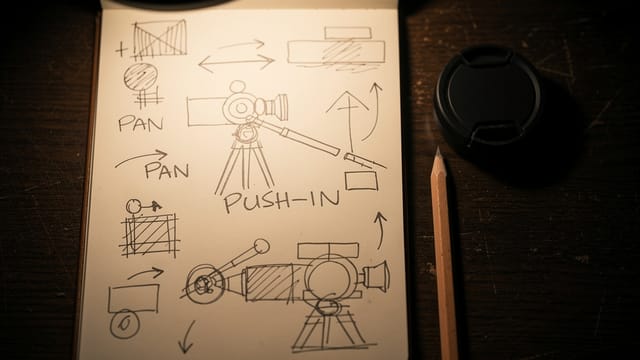
Say what the camera does — push in, hold still, track backwards, handheld — and keep the clip to one action. Fifteen seconds sounds like a lot but it fits one thing happening well, not three things happening badly. If you started from a photo, add a short line about what should stay the same; it costs six words and saves the take.
Who it is for
Who uses Seedance 2.0
Mostly people who need a shot they cannot film.
Creators posting daily
Generate a vertical clip for Reels, TikTok or Shorts without a camera, and reframe the same idea for each platform by changing the aspect ratio.
Marketers testing concepts
Put a concept in front of someone as motion instead of a slide. Draft cheap at 480p, then run the version that gets approved at full resolution.
Designers and art directors
Turn a still you already have into a moving reference, or generate a shot that would need a location and a crew to film for real.
Anyone who found the model and not the door
If you have seen what Seedance can do and spent an afternoon looking for somewhere to try it, this is the shortest route: write a prompt and generate.
Pricing
What generating with Seedance 2.0 costs
Seedance runs on a paid plan — video generation is not part of the free tier. Clips use credits from that plan, and the exact cost of the clip you have configured appears on the generate button, before you commit to it.
Free
$0
- 100 credits every day
- The Auto model, on our own servers
- No card needed
Paid plans
Basic · Starter · Creator
- 1,600 to 10,000 credits a month
- Every AI model, including premium ones
- AI video, and no ads in the mobile app
What it does well
What Seedance 2.0 is good at
The reasons to pick this model over a cheaper one.
It keeps the subject together
A face stays the same face and a product keeps its shape across the whole clip. This is the difference people notice first, and the main reason to spend more per second.
Clips long enough to say something
Fifteen seconds is enough for a beat with a beginning and an end, not just a loop. And you can ask for 7 or 11 seconds rather than rounding to a preset.
Output up to 1080p
Useful when the clip has to sit in a real edit or on a larger screen rather than only in a phone feed. The price is visible first.
Text or image as the starting point
Generate a scene from nothing, or hand it a photograph and let it animate that exact frame instead of approximating it.
Framing that matches the destination
Six aspect ratios, from 21:9 widescreen to 9:16 vertical, so the shot is composed for where it is going rather than cropped into it later.
No watermark on the result
The clip you download is the clip you generated, with nothing burned into the frame.
FAQ
Seedance 2.0 questions
The ones people actually ask.
Still have a question? Visit the help center →
What is the Seedance 2.0 AI video generator?
How do I use Seedance 2.0?
Where can I get access to Seedance 2.0?
Is Seedance 2.0 free?
How long can a Seedance 2.0 clip be?
What resolutions does it support?
Can I turn a photo into a video with Seedance 2.0?
Is there a watermark on the video?
CreArt is not affiliated with, endorsed or sponsored by TikTok. TikTok is a trademark of ByteDance Ltd.
Ready to make something?
Open the tool, try the free Auto model and download the result.