
Kling AI Video Generator
Turn a text prompt into a short cinematic clip with the Kling AI video generator — fluid motion, detailed lighting and precise control over what happens on screen.
How to
How to generate a Kling AI video in 4 steps
From prompt to finished clip in a straightforward flow.
Describe your video
Type what you want to see: the subject, the action, the setting, the camera move and the mood. The more specific the prompt, the closer Kling lands to the shot in your head.
Pick a style
Choose from Cinematic, Nature, Urban or Fantasy to set the overall look. Each style nudges Kling's lighting and tone so you don't have to spell every detail out in the prompt.
Set the aspect ratio
Select the frame that fits where the clip will live — widescreen for a landing page, vertical for a TikTok or Reel. Check the recommended TikTok video size if you're going vertical.
Generate and download
Kling renders your cinematic clip in seconds. Preview the motion, tweak the prompt and regenerate if you want a different take, then download the video with no watermark.
How it works
How the Kling AI Video Generator turns text into cinematic clips
From a single line of text to a moving, cinematic clip.
The Kling AI Video Generator is an text-to-video tool that turns a written prompt into a short cinematic clip using Kling's video model. You describe the scene — the subject, the setting, the camera move, the mood — and Kling renders it as fluid motion with detailed lighting and coherent movement between frames, right in your browser with no install.
Unlike a still image, the output moves the way a shot moves: a slow push-in, a character turning their head, fabric catching the wind. If you already work with the AI image generator or the AI art generator on CreArt, this is the natural next step when a frozen frame isn't enough and you need the idea to actually play. For animating a photo you already have rather than starting from text, the image to video tool covers that case instead.
Prompts as direction, not just keywords
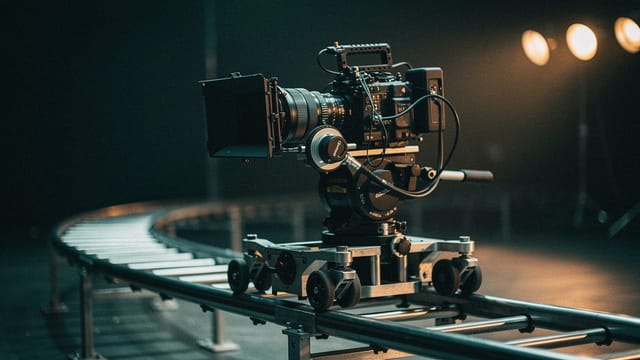
Kling reads your prompt as direction, not just a bag of keywords. Naming the shot type, the pacing and the atmosphere gives you tighter control over the result, so "a detective walking through a rain-soaked Tokyo alley at night, slow tracking shot" lands closer to what you pictured than a vague one-liner. That level of motion control is what Kling is known for.
The more concrete the prompt, the more the model has to work with. Motion stays consistent across the clip, detail holds up in close-ups, and you can iterate: adjust the wording, regenerate, and compare directions until the shot feels right. It's the same instinct you'd bring to the plain-language text to video generator, applied with Kling's model under the hood.
How to write a prompt Kling understands
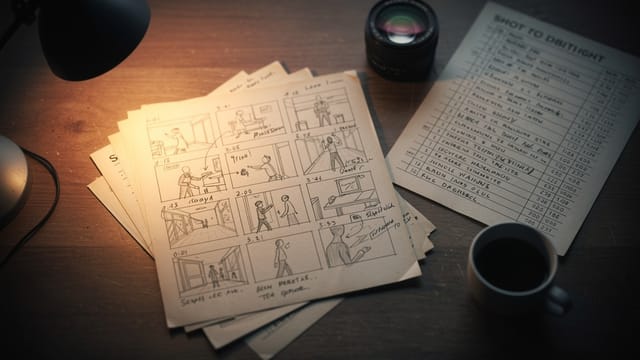
Writing the prompt well matters more than any single setting. Lead with the subject and action, then layer in camera language and lighting, and keep contradictory instructions out so Kling doesn't have to guess which one you meant.
Because you can generate several takes from small prompt changes, the workflow rewards experimenting early and refining fast. Try a few framings before committing to one, then generate the version that matches the story you're telling. When you need a different look entirely — say a stylized, animated feel — the AI animation generator handles that direction, while Kling stays focused on cinematic, photoreal motion.
Who it's for
Who the Kling AI video generator is for
Made for people who need moving visuals without a full production setup.
Content creators and social media
Turn an idea into a scroll-stopping vertical clip for TikTok, Reels or Shorts without filming anything, then export in the right frame for each platform.
Marketers and ad teams
Prototype cinematic ad concepts fast — describe the shot, pick a style, generate a take you can show a client the same afternoon.
Filmmakers and storyboard artists
Visualize a scene before you shoot it. Kling's motion control lets you test camera moves and pacing while the idea is still on paper.
Designers exploring motion
If you already build stills with an AI image or art tool, this is the step where a concept starts moving instead of staying frozen.
Anyone curious about Kling
People who've heard about Kling's motion quality and want to run a real prompt through it, and without commitment.
Pricing
Kling AI video generator pricing
Kling runs on a paid plan — video generation is not part of the free tier. Clips then use credits from that plan, and the exact cost appears on the generate button before you commit.
Free
$0
- 100 credits every day
- The Auto model, on our own servers
- No card needed
Paid plans
Basic · Starter · Creator
- 1,600 to 10,000 credits a month
- Every AI model, including premium ones
- AI video, and no ads in the mobile app
Why Kling
Why choose the Kling AI video generator
Built for people who want video that looks directed, not auto-generated.
Motion that actually holds together
Kling's strength is coherent movement — a character stays consistent frame to frame, a camera move reads as one continuous shot instead of a slideshow of stills.
Detailed, cinematic lighting
Shadows, reflections and highlights behave the way they should on screen, so a Cinematic or Urban night scene looks lit rather than flat.
Prompt-level direction
Name the shot type, the pacing and the atmosphere and Kling treats it as instructions, giving you precise control over what happens on screen.
No signup needed
Generate a Kling AI video straight from the browser without creating an account or installing anything, and download it without a watermark.
Four styles to anchor the look
Cinematic, Nature, Urban and Fantasy set the tone in one click, so you can steer the mood without writing a paragraph of lighting notes.
Fast iteration
Small prompt changes produce new takes in seconds, so you can compare framings and pick the one that tells the story best.
FAQ
Frequently asked questions about the Kling AI video generator
Still have a question? Visit the help center →
What is the Kling AI video generator?
Is the Kling AI video generator free?
Does Kling AI add a watermark to videos?
Do I need to sign up to use Kling AI?
Can I turn an image into video with Kling?
How do I write a good Kling AI prompt?
What aspect ratios and styles does it support?
How long does it take to generate a Kling AI video?
CreArt is not affiliated with, endorsed or sponsored by TikTok. TikTok is a trademark of ByteDance Ltd.
Ready to make something?
Open the tool, try the free Auto model and download the result.