AI Tools for Teachers
Free AI tools for teachers: turn any topic into coloring pages, classroom posters and explainer comics in minutes — type it, pick a style, print.
The workflow
How the pros run it, start to finish
Custom classroom material from any topic — made in the gap between two classes.
- 1
Coloring pages from this week’s topic
Any subject becomes a printable: "photosynthesis for 7-year-olds" works as a prompt.
- 2
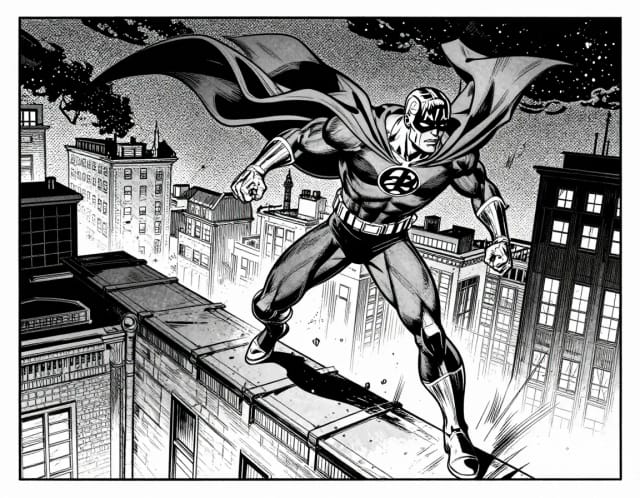
Comics that explain
A 4-panel strip explaining a concept beats a paragraph for reluctant readers.
- 3
Posters for the classroom wall
Print at A3 with 300 DPI — the DPI guide below does the math.
- 4
Reward stickers & visuals
Custom stickers with in-jokes from your class outperform any bought pack.
Good to know (beyond the tools)
- Check your school’s AI policy for student-facing material — and never upload photos of students to any generator.
- Keep a shared folder of your generated material; the second year is when it pays off.
Related guides
How it works
Make a classroom visual in 4 steps
From topic to printout without opening a design app.
Pick what you need
Choose the tool for the job — a coloring page, a classroom poster, an explainer comic or a set of stickers for the lesson.
Type your topic
Describe what you taught: 'the water cycle for 3rd grade', 'parts of a plant', 'multiplication practice'. Be as specific as the lesson.
Pick an age-appropriate style
Set the look so it fits your class — simple bold lines for younger kids, more detail for older ones.
Print or download
Save the image and send it to the classroom printer, or drop it into a slide deck or handout.
How it works
AI tools for teachers, from topic to printout
Custom classroom materials without the late-night prep.
AI tools for teachers are online generators that turn a topic you type into classroom-ready visuals — coloring pages, posters, explainer comics and stickers — in about the time it takes to queue at the photocopier. You describe what you taught today, pick an age-appropriate style, and print.
That's the whole workflow. No design software, no clip-art library, no hunting for the one worksheet that almost matches your lesson. A coloring page about photosynthesis shows photosynthesis, not a generic plant you have to explain around.
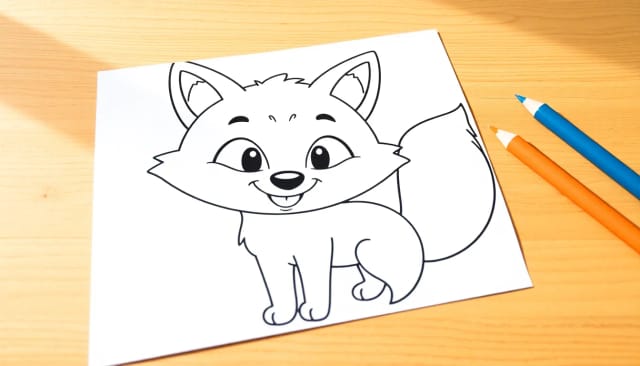
Original artwork, never the same stock page
Under the hood, each tool takes your prompt and renders original artwork rather than pulling from a stock set, so two teachers asking for the same topic don't end up with the same page. The AI coloring page generator outputs clean line art sized for printing, the comic generator breaks a concept into panels a kid can follow, and the poster maker builds wall-ready layouts.
Want a sharper print of an older handout you already have? Run it through the image upscaler first and the lines stay crisp at full page size.

Fits the tools you already teach with
Doing this by hand means either settling for whatever's already out there or spending an evening in a design app. These tools cut that to minutes, which matters when you're prepping five lessons across three grade levels.
Because the output is a plain image, you can drop a generated icon or mascot into a slide deck, remove its background with the background remover so it sits on any color, or send a finished poster straight to the printer. It fits the tools you already use instead of asking you to learn a new one.
Who it's for
Who AI tools for teachers are for
Made for anyone building classroom materials on a tight prep window.
Elementary school teachers
Generate coloring pages and simple posters matched to today's lesson, with bold line art that suits younger classes.
Subject teachers in middle and high school
Turn tricky concepts into explainer comics and posters that fit a specific unit instead of generic textbook art.
Homeschool parents
Make coloring pages and posters for the exact topic your kid is on that week, without buying a curriculum bundle.
Tutors and learning support staff
Build one-off visuals for a single student's sticking point — a comic that reframes a concept, a poster to reinforce it.
Substitute and relief teachers
Put together a printable activity for an unfamiliar class in minutes, right before the lesson starts.
Pricing
Start free, upgrade when you need more
Try the tools and print your first materials for free, then pick a plan that fits how much you generate each term.
Free
$0
- 100 credits every day
- The Auto model, on our own servers
- No card needed
Paid plans
Basic · Starter · Creator
- 1,600 to 10,000 credits a month
- Every AI model, including premium ones
- AI video, and no ads in the mobile app
Why teachers use it
Why choose CreArt's AI tools for teachers
Built for lesson prep, not for learning a design program.
Matched to your exact lesson
A coloring page about precisely what you taught today, not the closest thing you could find online. Type the topic and get art that fits it.
Coloring pages in seconds
The AI coloring page generator outputs clean, printable line art from any subject — animals, holidays, science concepts, whatever the unit needs.
Posters your wall doesn't already have
Use the classroom poster maker to build wall displays that aren't the same laminated set every school owns.
Comics that actually explain
Turn a tricky concept into a short comic strip. A four-panel water cycle lands better than a dense paragraph for a lot of students.
Free to try, no software to install
AI for teachers that's free to test right in the browser. No download, no design skills, no clip-art subscription.
Print-ready output
Images come out sized for standard paper, so what you see is what prints on the classroom printer.
What AI tools can teachers use to make classroom materials?
Is there a free AI coloring page generator for teachers?
How do I make a classroom poster with AI?
Are these AI tools for teachers free?
Do I need design skills to use these tools?
Can I use the generated materials in my classroom?
Can these tools explain a concept, not just decorate?
Activities kids actually want to do
Printable, topic-specific and ready before the bell.


Decorate and communicate
Posters, cards and visuals for the classroom, school events and newsletters.