
Text to Video AI
Describe a scene in plain words and generate a short AI video clip — pick a style and aspect ratio, no camera or editing needed.
How it works
Generate a video from text in 4 steps
From a blank prompt box to a finished clip, with no camera and no editing.
Describe your scene
Type what you want to see in plain words — the subject, the setting, the motion and the lighting. The more specific the prompt, the closer the clip lands.
Pick a style and aspect ratio
Choose from four video styles — Cinematic, Documentary, Anime or Drone shot — and set the aspect ratio, like 9:16 for vertical social formats or 16:9 for widescreen.

Generate the clip
The AI reads your prompt and builds the motion frame by frame. It takes a minute or more, with no timeline and no editing skills required.
Download or refine
Save your video, or tweak a few words in the prompt and generate again to compare versions until it fits.
How it works
How Text to Video AI turns your words into a clip
Type what you want to see, pick a look, and let the AI handle the motion.
Text to Video AI is an AI text to video generator that produces a short video clip from a written description. You type what you want to see — a scene, an action, a mood — and the AI generates a moving clip, with no camera, no footage and no editing software involved.
The more concrete your prompt, the closer the result. Naming the subject, the setting, the camera movement and the lighting gives the model enough to work with. If you'd rather start from a still frame than from scratch, you can storyboard the look first with the AI image generator and then describe the motion you want to bring it to life.

No keyframes, no timeline — just your words
Under the hood, the tool reads your prompt and predicts how the scene should move frame by frame, keeping the subject consistent as the clip plays. You don't set keyframes or draw anything — the motion, the timing and the transitions are handled for you.
You pick a video style — Cinematic, Documentary, Anime or Drone shot — and an aspect ratio, then generate. Because everything runs from plain text, iterating is fast: change a few words, generate again, and compare. When you want polished source frames to describe from, the AI art generator gives you concept images in the exact style you're after.
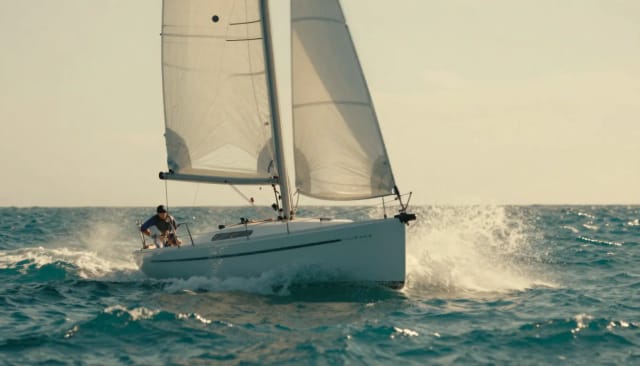
From prompt to short-form feed in minutes
Making a short clip by hand means filming or sourcing footage and then cutting it in an editor — hours of work for a few seconds on screen. This text to video AI collapses that into one prompt and a short wait.
It fits into a wider text-driven workflow. Design a matching brand mark with the AI logo generator for an intro card, then describe the motion here. Vertical output at 9:16 drops straight into short-form feeds, and if you need the exact numbers our TikTok video size guide has the full specs. No timeline and no software to learn — words in, clip out.
Who it's for
Who Text to Video AI is for
Social creators
Post short vertical clips to TikTok, Reels and Shorts without filming. Generate at 9:16 straight from a prompt and keep a steady stream of content going.
Marketers and small businesses
Turn a product idea or campaign concept into a short clip for ads and social posts, without booking a shoot or hiring an editor.
Writers and storytellers
See a scene move before committing to it. Describe an action or mood in words and get a moving reference without filming anything.
People with no video skills
If you've never touched an editing timeline, this is for you. Describe what you want and the text to video AI does the rest — no camera, no footage, no software to learn.
Pricing
Start generating videos
Try the tool at no cost, then pick a plan when you need more clips and higher output.
Free
$0
- 100 credits every day
- The Auto model, on our own servers
- No card needed
Paid plans
Basic · Starter · Creator
- 1,600 to 10,000 credits a month
- Every AI model, including premium ones
- AI video, and no ads in the mobile app
Why choose it
Why use this AI text to video generator
An AI text to video generator built for simplicity, not for learning editing software.
No footage, no editing skills
You don't need a camera, stock clips or a video editor. Describe the scene and the AI text to video generator handles the motion, timing and transitions for you.
Short clips from one prompt
Type a prompt and get a short clip back — no filming and no editing between your idea and a finished video. A clip takes a minute or more; keep the page open while it renders.
Four video styles
Switch between Cinematic, Documentary, Anime and Drone shot to change the whole feel of the clip without rewriting your prompt from scratch.
Social-ready aspect ratios
Set the output to 9:16 for vertical feeds, 16:9 for widescreen or square — so the clip fits the format you're posting to before you generate.
Fast to iterate
Because everything runs from plain text, changing a few words and generating again is quick. Compare versions and keep the one that works.
No watermark
Test the text to video AI in your browser with no signup and no watermark stamped across your clip.
How does text to video AI work?
Is this text to video AI free?
Do the videos have a watermark?
What should I write in the prompt?
What aspect ratios can I generate?
What video styles are available?
How long does it take to generate a video?
Do I need editing software or video skills?
CreArt is not affiliated with, endorsed or sponsored by TikTok. TikTok is a trademark of ByteDance Ltd.
Ready to make something?
Open the tool, try the free Auto model and download the result.