How to generate a Sora AI video in 4 steps
Write what you want to see, pick a framing, and let Sora render it.
Write your prompt
Describe the scene you want: the subject, the setting, the camera move and the mood. The more specific you are, the closer the clip lands to what you pictured.
Choose an aspect ratio
Pick vertical for social, widescreen for a cinematic look, or square for feeds. The framing shapes how the shot reads before Sora renders a single frame.
Generate with Sora
OpenAI's Sora reads your prompt like a brief and renders the clip with realistic lighting, believable physics and motion that stays smooth frame to frame.
Download and reuse
Save the clip with no watermark and drop it straight into an ad, a reel or a pitch deck. Not quite right? Tweak the prompt and generate again in seconds.
What the Sora AI video generator does
From a written idea to a finished clip, without a camera or an editing timeline.
How it works
The Sora AI video generator is a text-to-video tool powered by OpenAI's Sora that turns a written prompt into a short cinematic clip. You describe what you want to see — a scene, a subject, a camera move, a mood — and Sora renders it as coherent video with realistic lighting, motion and physics.
What sets Sora apart is how it handles the hard parts of video: objects hold their shape as the camera moves, reflections and shadows behave the way they should, and motion stays smooth instead of flickering frame to frame. You get footage that reads as filmed rather than assembled. If you also work with stills, the same prompt-driven approach powers our AI image generator and AI art generator.
Why Sora clips feel like continuous shots
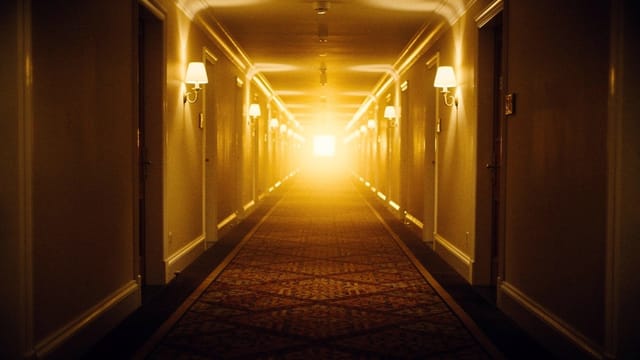
Under the hood, Sora reads your prompt the way a director reads a brief. It interprets the subject, the setting, the camera language and the pacing, then generates each frame so it connects believably to the next. That coherence over time is why a clip feels like a continuous shot and not a slideshow.
You control the framing with an aspect ratio picker — vertical for social, widescreen for a cinematic look, square for feeds. The clearer and more specific your description, the closer the result lands to what you pictured. If you'd rather start from a still, our image to video AI animates a photo you already have instead of building the scene from scratch.
A day on set, done in minutes
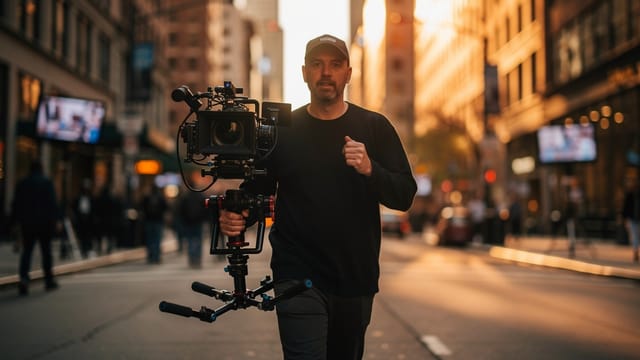
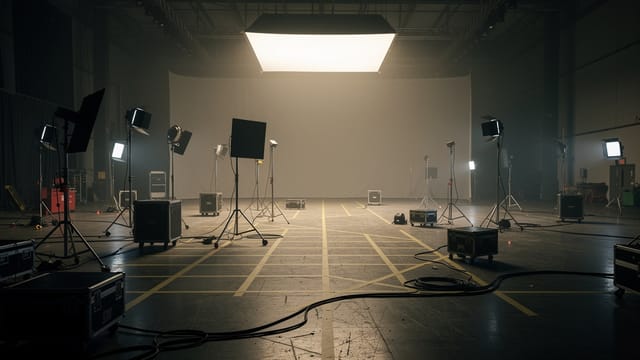
Compared with shooting footage yourself, the Sora AI video generator collapses location scouting, gear, lighting and editing into one prompt and a short wait. Ideas that would take a day on set become a clip you can iterate on in minutes.
It's built for people who need moving images fast: marketers testing ad concepts, creators filling a content calendar, and teams pitching a look before committing budget. Pair your generated video with clean product shots from our background remover, or a stylized loop from the AI animation generator, and you've covered most of a lightweight production without leaving your browser.
Who the Sora AI video generator is for
Marketers testing ad concepts
Spin up UGC-style hooks and product scenes to test before booking a shoot. Iterate on a prompt in minutes instead of scheduling a production day.
Creators filling a content calendar
Generate short, cinematic clips for reels and feeds when you need volume without a camera. Pick vertical framing and download ready to post.
Teams pitching a look
Show a client or a stakeholder the mood and motion of an idea before committing budget. A generated clip communicates a look faster than a mood board.
People who specifically want Sora realism
If you're after believable physics and footage that reads as filmed — not a stylized cartoon — Sora is the model built for that kind of realism.
CreArt Solutions
Every tool, curated for how you work
AI Tools for Real Estate
AI tools for real estate agents: virtually stage empty rooms, fix dark listing photos, and turn one set of photos into flyers, "Just Listed" posts and walkthrough videos.
Explore the toolkit →AI Tools for Content Creators
AI tools that turn a video title and a selfie into thumbnails, banners, avatars, emotes and brand-deal ads — a full channel kit from assets you already have.
Explore the toolkit →AI Tools for Small Business
A set of AI tools built for small businesses: design logos, flyers, clean product photos and daily social content without hiring a designer.
Explore the toolkit →AI Tools for Photographers
AI tools for photographers that run your marketing side: mini-session flyers, booking posts, session reels and price guides built from photos you already have.
Explore the toolkit →AI Tools for Musicians
A release-day visual kit for independent artists: build one album cover with AI, then spin off the Spotify Canvas, gig poster and "out now" ads from it.
Explore the toolkit →AI Tools for Authors & Writers
Design your book cover once and reuse it for the trailer, the countdown posts, the teaser quotes and the character art — a full self-publishing launch kit powered by AI.
Explore the toolkit →AI Tools for Teachers
Free AI tools for teachers: turn any topic into coloring pages, classroom posters and explainer comics in minutes — type it, pick a style, print.
Explore the toolkit →AI Tools for Influencers & UGC Creators
A content studio for influencers and UGC creators: brand-ready UGC ads, tappable thumbnails and on-brand profile pictures, all from a phone photo or a text idea.
Explore the toolkit →AI Tools for E-commerce Sellers
Turn one product photo into a full listing kit — clean white-background shot, lifestyle scenes, a UGC-style ad and a short video, without a studio day or an agency.
Explore the toolkit →Plans that scale when you need more
Sora runs on the Pro plan — video generation is not part of the free tier. Clips then use credits from that plan, and the exact cost appears on the generate button before you commit.
How far do credits go? The cost depends on the tool, model and settings. The Generate button shows the price before each creation.
Free
- 100 credits every day
- Access to basic tools
- 100 MB cloud storage (signed in)
Starter
- 4,000 credits every month
- Create videos with AI
- Use every AI model
- No ads
- No watermarks
- Keep posts private anytime
- You own what you create
- 1 GB cloud storage (signed in)
Creator
- 10,000 credits every month
- Create videos with AI
- Use every AI model
- No ads
- No watermarks
- Keep posts private anytime
- You own what you create
- 5 GB cloud storage (signed in)
Pro
- 25,000 credits every month
- Create videos with AI
- Use every AI model
- No ads
- No watermarks
- Keep posts private anytime
- You own what you create
- 10 GB cloud storage (signed in)
Why choose the Sora AI video generator
What makes Sora worth reaching for when realism and motion matter.
Physics that actually hold up
Objects keep their shape as the camera moves, and shadows, reflections and momentum behave the way they should. That believability is what Sora AI is best at.
Coherent motion, not a slideshow
Each frame connects to the next, so a clip reads as one continuous shot instead of stitched stills. No flicker, no morphing between frames.
Cinematic look from plain words
Describe a camera move, a time of day or a lens feel and Sora renders it. You direct the shot in a sentence, no gear or lighting rig required.
No watermark., no watermark
Generate and download your clip with no watermark stamped over it and no signup wall before you see a result. Test the idea, then decide.
Framing for every platform
Switch between vertical, widescreen and square so the same idea fits a TikTok, a YouTube intro or a square feed post without cropping later.
Runs in your browser
No app to install and nothing to render locally. Write a prompt, generate, and the clip is ready to download from the same tab.