AI Video Generator

AI Avatar Video Generator

Turn a photo into a talking AI avatar: upload a face, write what it should say, pick a voice, and get a clip with real lip-sync — in your browser, no editing software.

Avatar model
Avatar model

High quality

Budget

Natural presenter, follows the aspect ratio

0/600
Photo of the presenter

The voice reads your script. Pick one that matches the person in the photo.

Your talking avatar will appear here

Add a photo and a script, then hit Generate.

<10s
Average time to generate an avatar
4
Avatar styles to pick from
$0
Cost to generate and download
Pro plan
Needed for talking avatars

Make an AI avatar video in 4 steps

No animation skills needed — go from a photo to a shareable avatar in minutes. Talking avatars run on the Pro plan.

Upload your photo

Add a clear selfie or portrait, or skip the photo and describe the character you want in a prompt. A well-lit, front-facing shot gives the best likeness.

Pick an avatar style

Choose from four styles — illustrated, gaming, comic or minimal — to set the overall look before the AI builds your avatar.

Avatar style options for AI video

Generate your avatar

The AI rebuilds your face in the style you picked in seconds. Run it a few times to get variations and keep the one you like most.

Generating a custom AI avatar video from a photo

Download and animate

Save your avatar image, then use it as a profile picture or bring it into a motion tool to turn it into a talking, moving avatar video clip.

Turn a photo into a talking AI avatar video

From a single selfie or a character prompt to a moving, speaking avatar clip you can post anywhere.

How it works

The AI Avatar Video Generator turns a photo and a few lines of script into a presenter who actually says them. Upload a clear, front-facing face, write what you want said, and pick a voice — the model animates the mouth, head and expression to match the audio, so the result reads as someone talking rather than a still photo with motion added.

You don't need animation software, a camera setup, or any design skills. The idea is to go from a still image to a clean, recognizable avatar in a few clicks instead of hiring an illustrator or wrestling with editing tools. If you want to push the result further into motion, you can animate the finished avatar with the image to video tool or generate a scene straight from a script using text to video.

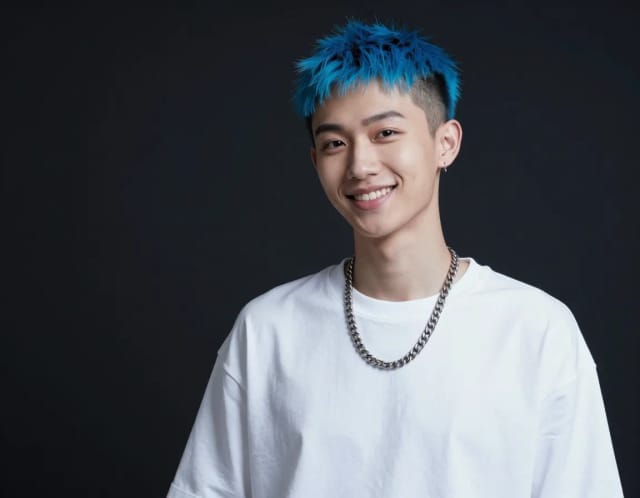
Photo transformed into a talking AI avatar video

Recognizably you, in any avatar style

Under the hood, this avatar generator from photo reads the face in your image (or your written prompt) and rebuilds it in the style you selected, preserving the traits that make you recognizable: face shape, hair, skin tone, glasses. You stay in control through the four style options and an optional prompt where you can add a background color, an outfit, or a mood.

Every run gives you a fresh take, so you can generate a few variations and keep the one that fits best. Want a looping version for chat? Turn your avatar into a short animated GIF. Prefer a clean cutout to drop over any scene? The background remover gives you a transparent PNG in one click.

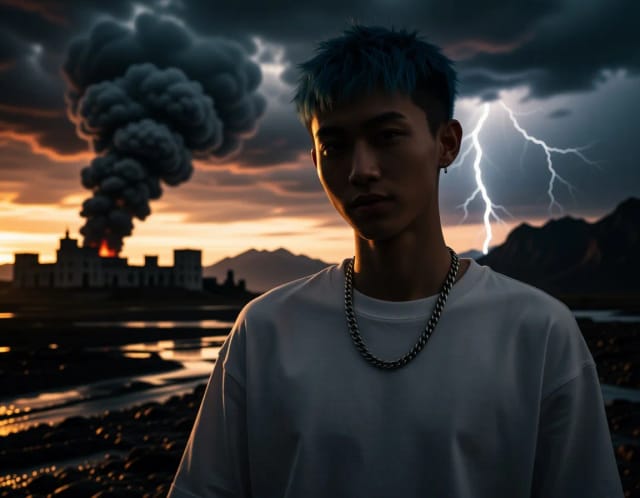
Face rebuilt in a chosen avatar style

Ready for Discord, Twitch and every profile

Building a talking-head avatar by hand usually means learning animation software or paying a studio and waiting days for revisions. Here you write the script, choose a voice and get a clip back — then rewrite a line and run it again until it sounds right, without touching a timeline.

Because the base output is a standard image, it slots straight into Discord, Twitch, Instagram, LinkedIn, TikTok or a game profile without extra editing. Sharpen a low-res source first with the image upscaler if your photo is grainy, and you'll get a crisper avatar to animate. Not sure what to aim for? See what makes an AI avatar work, and check the right profile picture size for each platform before exporting.

Talking-head avatar ready for profiles and streams

Who the AI avatar video generator is for

Built for people who need a talking-head avatar without a camera crew or animation budget.

Marketers running ads

Create a branded spokesperson avatar for short ad clips and product promos without booking talent or a studio, then reuse the same avatar across campaigns.

Creators and streamers

Get a matching avatar for explainers, YouTube intros, TikToks and Twitch overlays that reads as you but fits your channel's style.

Small businesses

An affordable way for small teams to produce a consistent on-screen face for tutorials and social posts without ongoing design costs.

Community and gaming users

Build a gaming or illustrated avatar for a Discord server, game profile or clan, and animate it into a short intro clip.

Remote teams and educators

Turn a headshot into a friendly presenter avatar for onboarding videos, course intros and internal explainers.

CreArt Solutions

Every tool, curated for how you work

AI Tools for Real Estate

AI tools for real estate agents: virtually stage empty rooms, fix dark listing photos, and turn one set of photos into flyers, "Just Listed" posts and walkthrough videos.

Explore the toolkit →

AI Tools for Content Creators

AI tools that turn a video title and a selfie into thumbnails, banners, avatars, emotes and brand-deal ads — a full channel kit from assets you already have.

Explore the toolkit →

AI Tools for Small Business

A set of AI tools built for small businesses: design logos, flyers, clean product photos and daily social content without hiring a designer.

Explore the toolkit →

AI Tools for Photographers

AI tools for photographers that run your marketing side: mini-session flyers, booking posts, session reels and price guides built from photos you already have.

Explore the toolkit →

AI Tools for Musicians

A release-day visual kit for independent artists: build one album cover with AI, then spin off the Spotify Canvas, gig poster and "out now" ads from it.

Explore the toolkit →

AI Tools for Authors & Writers

Design your book cover once and reuse it for the trailer, the countdown posts, the teaser quotes and the character art — a full self-publishing launch kit powered by AI.

Explore the toolkit →

AI Tools for Teachers

Free AI tools for teachers: turn any topic into coloring pages, classroom posters and explainer comics in minutes — type it, pick a style, print.

Explore the toolkit →

AI Tools for Influencers & UGC Creators

A content studio for influencers and UGC creators: brand-ready UGC ads, tappable thumbnails and on-brand profile pictures, all from a phone photo or a text idea.

Explore the toolkit →

AI Tools for E-commerce Sellers

Turn one product photo into a full listing kit — clean white-background shot, lifestyle scenes, a UGC-style ad and a short video, without a studio day or an agency.

Explore the toolkit →

Plans that scale when you need more

Talking avatars run on the Pro plan: voice and lip-sync use a premium video model. The exact credit cost of a clip is shown before you generate.

Free

Free
  • Limited credits to try CreArt
  • Access to core tools
  • Standard resolution
Current Plan

Starter

  • 4,000 credits per month
  • Premium access
  • Ad-free
  • Private Community posts
Popular

Creator

  • 10,000 credits per month
  • Premium access
  • Ad-free
  • Private Community posts
  • More room for video and image

Pro

  • 25,000 credits per month
  • Premium access
  • Ad-free
  • Private Community posts
  • Credit packs available
  • Highest generation volume

Why creators use this AI avatar generator

A photo, a script and a voice — that is the whole setup for a presenter that speaks.

No animation or design skills needed

You do not touch a timeline or a rigging tool. Upload a photo, write the script, pick a voice, and the model handles the mouth, head and expression.

Four distinct styles

Switch between illustrated, gaming, comic and minimal to match a brand, a channel or a game profile. Each style keeps your likeness while changing the overall vibe.

From photo or from a prompt

Use this as an avatar generator from photo when you have a selfie, or describe a character in text when you want something invented from scratch.

Ready for video

The avatar exports as a standard image, so you can feed it straight into an image-to-video or animation tool and turn a static face into a talking, moving clip.

No watermark on the clip

Download the finished avatar video without a watermark burned into the frame, and see the exact cost before you generate.

Fits every platform

The result drops cleanly into Discord, Twitch, TikTok, Instagram, LinkedIn, Slack or a game profile — no resizing or extra editing to get started.

AI avatar video generator questions

Answers on making talking avatar videos, styles and what you can do with the result.

What is an AI avatar video generator?+
An AI avatar video generator is a tool that turns a photo or a character into an animated, talking avatar you can use in video. Here you start by generating the avatar image from a selfie or a prompt, then take that avatar into a motion tool to make it move and speak for ads, explainers and social clips.
Can I make an AI avatar video for free?+
No. A talking avatar needs the Pro plan — it runs a premium video model with voice and lip-sync. Each clip then uses credits from that plan, you see the exact cost before you generate, and there is no watermark on the result.
How do I turn a photo into an avatar?+
Upload a clear front-facing photo, pick one of the four styles, and the AI rebuilds your face while keeping your likeness. It works as an avatar generator from photo — a well-lit selfie gives the most accurate result, and you can regenerate for variations.
Do I need animation or design skills?+
No, you don't need any animation, drawing or design experience. The whole point is to skip the software and the learning curve: choose a style, generate, and download an avatar that's ready to use or animate.
Which AI avatar generator offers the best value for money?+
You get 20 voices, five looks (your photo as it is, plus four restyled ones) and no watermark on the clip. The cost per clip is visible before you generate, so you can compare it against what you would pay elsewhere without signing up first.
What styles can I choose from?+
You can choose from four avatar styles: illustrated, gaming, comic and minimal. Each keeps your recognizable features — face shape, hair, skin tone, glasses — while changing the overall look, so you can match a brand, a game profile or a social channel.
Where can I use my AI avatar?+
You can use it as a profile picture on Discord, Twitch, TikTok, Instagram, LinkedIn, Slack or a game account, and as the base for a talking avatar video. The export is a standard image, so it works anywhere without resizing.
Can I use an avatar without uploading a photo?+
Yes, you can generate an avatar from a text prompt alone if you don't want to upload a photo. Describe the character, style and details you want, and the AI builds it from your description instead of a source image.

Related tools

AI Animation Generator

AI Animation Generator

Turn a text prompt or a still photo into a short, stylized animation clip in seconds. Pick a style, generate, and download — no animation software needed.