How to make a Hailuo AI video in 4 steps
From a written idea to a finished clip, no editing software required.
Describe your video
Write what you want to see — the subject, the camera move, the lighting and the mood. The more specific the shot, the closer the Hailuo AI video lands to what you pictured.
Pick a style
Choose Cinematic, Nature, Urban or Fantasy to set the overall look, then select an aspect ratio for where the clip will run — vertical for social, wide for a hero video.
Generate the clip
The MiniMax Hailuo model renders your prompt into a short video with fluid motion and coherent detail. It runs in the browser and finishes in minutes.
Download and use it
Preview the result, regenerate if you want a different take, then download the video with no watermark, ready to post or drop into an edit.
What the Hailuo AI video generator does and where it fits
What it does, how the motion holds together, and where it slots into your workflow.
How it works
The Hailuo AI Video Generator is an text-to-video tool that turns a written prompt into a short cinematic clip using MiniMax's Hailuo model. You describe a scene — the subject, the camera move, the mood — and it renders a video with fluid motion, coherent lighting, and detail that holds up frame to frame. It runs in the browser, with no signup and no watermark on your clip.
It's built for the moment when you have an idea but no camera, no crew, and no time to shoot. Write "a slow push-in on a lighthouse during a storm at dusk" and you get a clip that reads like it was filmed, not stitched together from stills.
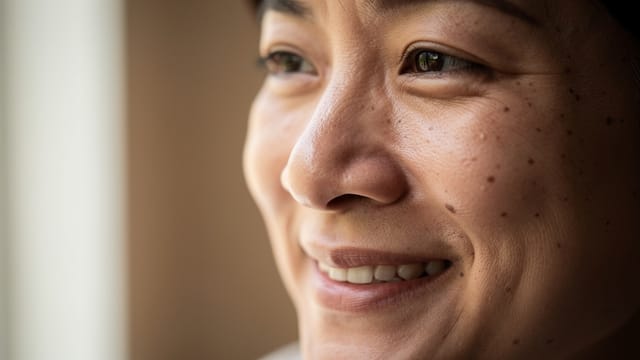
Motion that feels like real footage
Hailuo's strength is motion. The model tracks how things should move over time, so a walking figure keeps its stride, water flows instead of shimmering, and a camera pan feels deliberate rather than jittery. That's the part most text-to-video tools get wrong, and it's why the Hailuo AI video results feel closer to real footage.
You keep control at the prompt level: describe the shot type, the pacing, the atmosphere, then set a style — Cinematic, Nature, Urban or Fantasy — and an aspect ratio. Pairing it with still images works too. Generate a concept in the AI image generator or a stylized frame in the AI art generator to lock the look you want before you write the motion prompt.
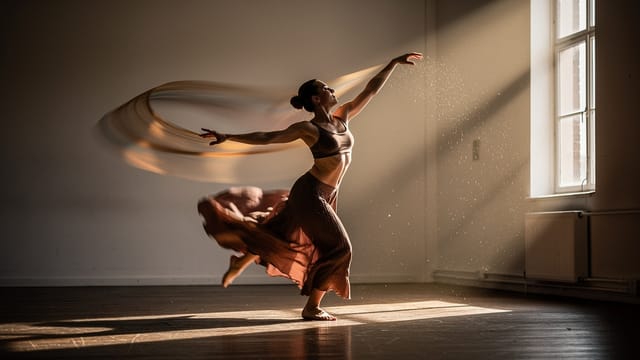
A repeatable pipeline from idea to motion
Compared with filming or hiring an animator, the trade-off is time and cost. A single Hailuo clip renders in minutes, so you can test five different versions of a shot in the time it would take to book one location.
It slots into a wider workflow rather than replacing it. Pull a subject out cleanly with the background remover, animate an existing frame with the image to video AI tool, or compare the motion against another model in the Kling AI video generator. The result is a repeatable pipeline from idea to moving image.
Who the Hailuo AI video generator is for
Anyone who wants MiniMax Hailuo output without a camera or an editing suite.
Marketers and social creators
Turn a product idea or campaign concept into a short cinematic clip for ads, reels and stories, in the exact aspect ratio each platform needs.
Filmmakers and storyboarders
Test how a shot moves — the push-in, the pan, the pacing — before booking a location or committing to a full shoot.
Designers and content teams
Add motion to a static concept, pairing a generated frame from the image tools with a Hailuo AI video prompt to bring the look to life.
People comparing AI video models
Anyone who specifically wants MiniMax Hailuo output and wants to see how its motion holds up next to other text-to-video tools.
CreArt Solutions
Every tool, curated for how you work
AI Tools for Real Estate
AI tools for real estate agents: virtually stage empty rooms, fix dark listing photos, and turn one set of photos into flyers, "Just Listed" posts and walkthrough videos.
Explore the toolkit →AI Tools for Content Creators
AI tools that turn a video title and a selfie into thumbnails, banners, avatars, emotes and brand-deal ads — a full channel kit from assets you already have.
Explore the toolkit →AI Tools for Small Business
A set of AI tools built for small businesses: design logos, flyers, clean product photos and daily social content without hiring a designer.
Explore the toolkit →AI Tools for Photographers
AI tools for photographers that run your marketing side: mini-session flyers, booking posts, session reels and price guides built from photos you already have.
Explore the toolkit →AI Tools for Musicians
A release-day visual kit for independent artists: build one album cover with AI, then spin off the Spotify Canvas, gig poster and "out now" ads from it.
Explore the toolkit →AI Tools for Authors & Writers
Design your book cover once and reuse it for the trailer, the countdown posts, the teaser quotes and the character art — a full self-publishing launch kit powered by AI.
Explore the toolkit →AI Tools for Teachers
Free AI tools for teachers: turn any topic into coloring pages, classroom posters and explainer comics in minutes — type it, pick a style, print.
Explore the toolkit →AI Tools for Influencers & UGC Creators
A content studio for influencers and UGC creators: brand-ready UGC ads, tappable thumbnails and on-brand profile pictures, all from a phone photo or a text idea.
Explore the toolkit →AI Tools for E-commerce Sellers
Turn one product photo into a full listing kit — clean white-background shot, lifestyle scenes, a UGC-style ad and a short video, without a studio day or an agency.
Explore the toolkit →Hailuo AI video generator pricing
Hailuo runs on the Pro plan — video generation is not part of the free tier. Clips then use credits from that plan, and the exact cost appears on the generate button before you commit.
Free
- Limited credits to try CreArt
- Access to core tools
- Standard resolution
Starter
- 4,000 credits per month
- Premium access
- Ad-free
- Private Community posts
Creator
- 10,000 credits per month
- Premium access
- Ad-free
- Private Community posts
- More room for video and image
Pro
- 25,000 credits per month
- Premium access
- Ad-free
- Private Community posts
- Credit packs available
- Highest generation volume
Why use the Hailuo AI video generator
What the MiniMax Hailuo model does well, and why it's worth reaching for.
Motion that holds together
Hailuo tracks movement over time, so strides, flowing water and camera pans stay coherent instead of flickering — the part most text-to-video tools struggle with.
Cinematic detail
Sharp frames, consistent lighting and depth give clips a filmed quality rather than a slideshow of AI stills.
Four styles, your framing
Set the look with Cinematic, Nature, Urban or Fantasy, then pick the aspect ratio that matches where the clip will run.
and no signup
Generate a Hailuo AI video straight in the browser — no account, no watermark, nothing to install.
Ready in minutes
A single clip renders in minutes, so you can test several versions of a shot before committing to one.
Prompt-level control
You direct the shot type, pacing and atmosphere in plain words, keeping creative control without touching a timeline.