AI Generative Fill
Add or remove objects in any photo with AI Generative Fill. Describe the change in plain words and the AI rebuilds the surrounding pixels so the edit blends in naturally.
Upload an image first to paint over it.
Describe what to add


How to add or remove objects in a photo in 4 steps
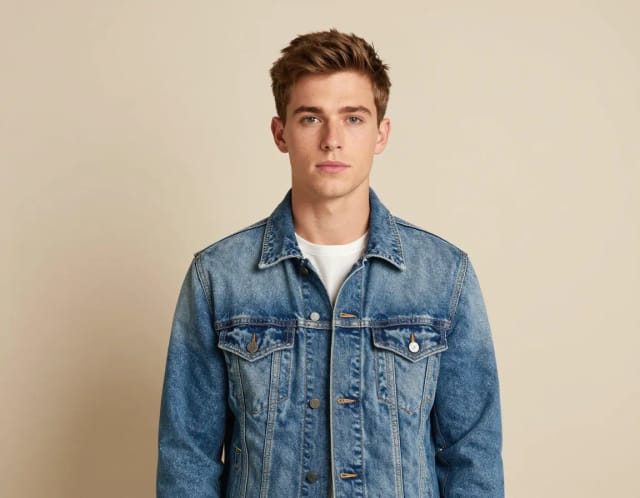
Upload your photo
Drop in the image you want to edit. Any common format works, and the tool keeps your original resolution and framing.
Describe what to add or remove
Type the change in plain words, like "remove the person on the left" or "add a coffee cup on the table." No masks or selections to draw.
Let the AI rebuild the area
The model reads the surrounding pixels and generates a fill that matches the lighting, texture, and shadows already in the shot.
Compare and download
Check the result against the original, then download the finished edit or send it straight to another CreArt tool.
What AI Generative Fill does to your photos
How it works
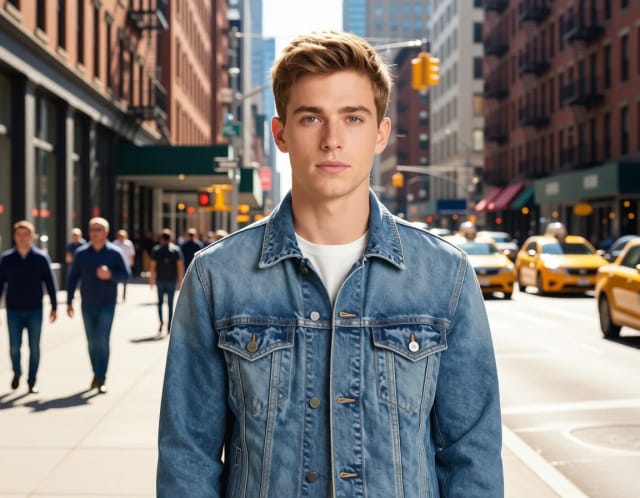
AI Generative Fill is an online tool that adds objects to a photo, removes unwanted elements, and reconstructs the empty space so the edit looks like it was always there. You upload an image, describe the change in plain words, and the AI generates matching pixels in seconds.
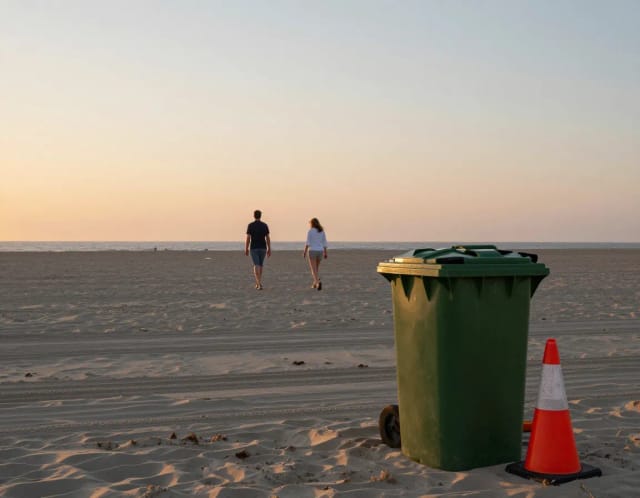
It covers the fiddly parts of editing that used to eat an afternoon in a photo editing program: a stranger walking through your shot, a trash can in the corner of a product photo, a power line across a landscape, or a missing piece of sky you want to extend. Instead of cloning and patching by hand, you point at the spot, say what you want, and let the model rebuild what should be there.
How AI inpainting makes edits look real
The tool doesn't just cut or paste. It reads the pixels around your selection and generates a fill so textures, lighting, shadows, and color all line up with the rest of the frame. This kind of AI inpainting is why a removed lamppost leaves believable sky behind it, and a newly added object picks up the same shadows as everything else in the shot.
Because the result keeps the original resolution and framing, you can move straight to the next step. Many people run a cleaned-up shot through the 4x image upscaler for extra sharpness, or drop a product cutout onto a fresh backdrop with the background remover once the distractions are gone.
Edit without touching masks or layers
Doing this by hand means tracing edges precisely, cloning source areas, and blending until nothing looks off. It's slow, and one shaky selection undoes the whole thing. AI Generative Fill skips that: you describe what to add or remove and get a finished edit without touching a single layer mask.
It sits alongside the rest of CreArt's editing kit, so you pick the tool that matches the job. Fix exposure and color across a whole image with the AI photo enhancer, or start from scratch and build a new scene with the AI image generator when a small fix isn't enough.
Who AI Generative Fill is for
Online sellers and marketers
Clean up product shots by removing clutter or wires, or add a prop to a bare scene, without booking a reshoot or hiring a retoucher.
Photographers and travelers
Take out a tourist who wandered into the frame, erase a power line across the horizon, or extend the sky to fix a tight crop.
Social media creators
Add objects to a photo or remove background distractions so a post looks intentional, then export at full quality in seconds.
Designers and small teams
Handle quick fixes without opening a full editing suite, then hand off to the upscaler or background remover for the next step.
Anyone with no editing experience
Fix a photo by describing what should change, skipping the masks and clone tools that make manual editing slow.
CreArt Solutions
Every tool, curated for how you work
AI Tools for Real Estate
AI tools for real estate agents: virtually stage empty rooms, fix dark listing photos, and turn one set of photos into flyers, "Just Listed" posts and walkthrough videos.
Explore the toolkit →AI Tools for Content Creators
AI tools that turn a video title and a selfie into thumbnails, banners, avatars, emotes and brand-deal ads — a full channel kit from assets you already have.
Explore the toolkit →AI Tools for Small Business
A set of AI tools built for small businesses: design logos, flyers, clean product photos and daily social content without hiring a designer.
Explore the toolkit →AI Tools for Photographers
AI tools for photographers that run your marketing side: mini-session flyers, booking posts, session reels and price guides built from photos you already have.
Explore the toolkit →AI Tools for Musicians
A release-day visual kit for independent artists: build one album cover with AI, then spin off the Spotify Canvas, gig poster and "out now" ads from it.
Explore the toolkit →AI Tools for Authors & Writers
Design your book cover once and reuse it for the trailer, the countdown posts, the teaser quotes and the character art — a full self-publishing launch kit powered by AI.
Explore the toolkit →AI Tools for Teachers
Free AI tools for teachers: turn any topic into coloring pages, classroom posters and explainer comics in minutes — type it, pick a style, print.
Explore the toolkit →AI Tools for Influencers & UGC Creators
A content studio for influencers and UGC creators: brand-ready UGC ads, tappable thumbnails and on-brand profile pictures, all from a phone photo or a text idea.
Explore the toolkit →AI Tools for E-commerce Sellers
Turn one product photo into a full listing kit — clean white-background shot, lifestyle scenes, a UGC-style ad and a short video, without a studio day or an agency.
Explore the toolkit →Try AI Generative Fill, then pick a plan
Start editing for free and upgrade when you need more edits and higher output.
Free
- Limited credits to try CreArt
- Access to core tools
- Standard resolution
Starter
- 4,000 credits per month
- Premium access
- Ad-free
- Private Community posts
Creator
- 10,000 credits per month
- Premium access
- Ad-free
- Private Community posts
- More room for video and image
Pro
- 25,000 credits per month
- Premium access
- Ad-free
- Private Community posts
- Credit packs available
- Highest generation volume
Why edit with AI Generative Fill
Add anything to a photo with words
Describe an object and the AI places it into the scene with matching perspective, shadows, and color. No stock assets or manual compositing.
Remove distractions cleanly
Take out a photobomber, a sign, a wire, or clutter, and the background rebuilds behind it so there's no smear or empty patch left over.
Fills that actually match
Instead of copying a nearby area, it generates new pixels that follow the frame's lighting and texture, so the edit doesn't look pasted in.
Keeps your original quality
Results come back at the same resolution and framing you uploaded, ready to use or pass to another tool without re-cropping.
No layers, masks, or software
Everything happens in the browser from a text prompt. You skip the tracing and blending that manual editing usually demands.
Free to try, results in seconds
Upload an image and describe the change to see what generative fill does before committing to anything.
Where fill excels and where it invents too much
Honest limits
Extending backgrounds, patching gaps and adding simple elements into empty space work almost every time — the AI continues what is already there.
Asking it to add complex objects that interact with existing ones (a hand holding something, a reflection that must match) is where results get uncanny. The simpler the request, the more seamless the fill.